- Tier
- Budget / Light Laptop
- Wattage Range
- 65W USB-PD
- Capacity
- 20,000mAh
- Best For
- MacBook Air, thin-and-lights, tablets
- Representative Models
- INIU 65W, CUKTECH 15 SE
This article contains affiliate links. We may earn a commission at no extra cost to you. See our disclosure.

What You Need to Know Before Buying a Laptop Power Bank
Laptop power banks occupy a narrow, unforgiving spec window. Too little wattage and the bank won't push enough current to charge your laptop under load – it may actually lose charge while plugged in. Too little capacity and you get a partial top-up that barely covers a long flight. Too expensive and you've bought a spec sheet that real-world discharge rates don't justify. This guide cuts through that: rated capacity, sustained output, USB-PD compliance, and airline rules – that's what determines whether a power bank works for your laptop, full stop.
One foundational misconception to address upfront: a 25,000mAh power bank does not deliver 25,000mAh to your laptop. Voltage conversion losses mean a significant portion of a 25,000mAh bank's rated capacity is lost before it reaches your laptop's battery. That's why watt-hours (Wh) is the more honest metric for laptop use – and why a 90Wh bank won't fully charge a MacBook Pro 16" (100Wh battery) from zero.
Key Features to Evaluate in a Laptop Power Bank
Output Wattage and the 140W Threshold
Output wattage is the single most important spec for laptop users. The MacBook Pro 16" ships with a 140W USB-C charger – that's the threshold that power users in r/UsbCHardware use to evaluate whether a power bank is actually capable of charging under load, not just trickle-charging while the system draws power. Banks rated at 100W can charge most laptops when they're idle or lightly loaded, but may fall short under sustained compute tasks. If you run a MacBook Pro 16", a ThinkPad with discrete graphics, or any 140W+ machine, don't settle for less than 140W rated output.
For MacBook Air, thin-and-light Windows laptops, and tablets, 65W USB-PD is the practical floor. For gaming laptops with high TDPs, even 140W may not fully sustain charge under load – the Anker Prime at 300W combined output is currently the only consumer bank that seriously addresses that use case.
Rated Capacity: mAh vs. Wh and Real-World Delivery
mAh (milliamp-hours) is measured at the battery's internal voltage, typically 3.6–3.7V. Your laptop charges at 20V via USB-PD. The voltage step-up plus conversion inefficiency means you lose roughly 30–40% of rated mAh capacity before it reaches your laptop's battery. Watt-hours (Wh) normalizes for voltage and is the metric airlines and power users care about. A 90Wh bank and a 25,000mAh bank might be the same product – but 90Wh is the number that tells you how much energy is actually stored, and 100Wh is the TSA carry-on limit without prior airline approval.
USB Power Delivery Compliance
USB-PD is the protocol that lets a power bank negotiate the correct voltage and current for your laptop. Without it, you're capped at 5V/2.4A – roughly 12W, which won't charge most modern laptops at all. USB-PD 3.0 (up to 100W) covers most use cases; the newer USB-PD 3.1 Extended Power Range spec supports up to 240W for higher-draw systems. Confirm your power bank explicitly lists USB-PD support, not just "fast charging" – the latter is a marketing term that can mean anything.
Microsoft Surface users have a specific compatibility concern: the Surface line uses 15V charging profiles. A confirmed r/UsbCHardware thread verified that the Anker 25K supports PD protocol at 15V/3A, making it compatible with Surface devices – a detail most product listings omit.
Built-In Cables vs. Separate Cables
Built-in cables reduce what you carry, but introduce a long-term durability question that separate cables don't. Once a built-in cable fails, you're dealing with a warranty claim or a replacement purchase – not a $10 cable swap. Users in r/UsbCHardware flagged cable longevity as a recurring concern for the whole built-in cable category. That said, for frequent travelers who've lost cables in hotel rooms or airport security bins, the convenience trade-off is real. If you go built-in, choose a model that's been on the market long enough to have user reports about cable durability – newer models with sub-300 reviews haven't proven themselves yet.
Display and Monitoring
A numeric percentage display is useful. A per-port wattage readout is actually useful – it lets you verify that your laptop is drawing the expected wattage, not just connected. The Anker 25K is currently the only model reviewed here that shows per-port output wattage in real time, per Engadget's testing. The Anker Prime adds a temperature gauge – a meaningful safety monitoring feature for a 300W bank. Be skeptical of displays that show only percentage: the CUKTECH line has earned community respect in r/UsbCHardware specifically for display accuracy and low voltage ripple, while some budget displays read optimistically.
Passthrough Charging
Passthrough charging allows the bank to simultaneously accept wall power and output to your device. Useful at a desk when you want to top up both your laptop and the bank from a single outlet. Not all banks support this, and those that do sometimes derate their output wattage during passthrough – check the spec sheet carefully.
TSA Rules and Airline Restrictions
The TSA allows lithium-ion power banks up to 100Wh in carry-on luggage without prior approval; 100–160Wh requires airline approval. Power banks cannot go in checked bags regardless of capacity. The 100Wh ceiling is why most high-capacity laptop banks cluster around 90–99Wh – the Anker 25K at 90Wh and Goal Zero Sherpa 100AC at 95Wh are both approved without special clearance.
Beyond TSA: Engadget's January 2026 update flags that airline-specific restrictions are tightening. Hong Kong, Delta, KLM, Emirates, and Southwest have each introduced or enforced restrictions beyond the base TSA rule. Before any international flight, confirm your specific carrier's current policy – the TSA limit is a floor, not a ceiling for all airlines.

Laptop Power Bank Price Tiers
The market segments cleanly by wattage and capacity. Here's how the tiers stack up based on the products reviewed:
- Tier
- Mid-Range / MacBook Pro
- Wattage Range
- 100W USB-PD
- Capacity
- 20,000–25,000mAh
- Best For
- MacBook Pro 14", most Windows laptops
- Representative Models
- Baseus Blade, INIU 25K 100W
- Tier
- High-Output / MacBook Pro 16"
- Wattage Range
- 140–165W USB-PD
- Capacity
- 25,000mAh
- Best For
- MacBook Pro 16", ThinkPads, power users
- Representative Models
- UGREEN 145W, Anker 737, Anker 25K
- Tier
- Premium / Multi-Device
- Wattage Range
- 200–300W combined
- Capacity
- 25,000–26,250mAh
- Best For
- Two laptops simultaneously, maximum sustained output
- Representative Models
- Anker Prime 300W, UGREEN 200W
- Tier
- Outdoor / Field Use
- Wattage Range
- 100W USB-C + AC outlet
- Capacity
- 25,000–27,000mAh
- Best For
- Solar input, non-USB devices, field technicians
- Representative Models
- Goal Zero Sherpa 100AC
Common Mistakes When Buying a Laptop Power Bank
Our Recommendations
The products below are organized by use case. Every product with substantial review data or expert endorsement gets a full review. Newer or thinner-data products appear in the "Also Worth Considering" section at the end.
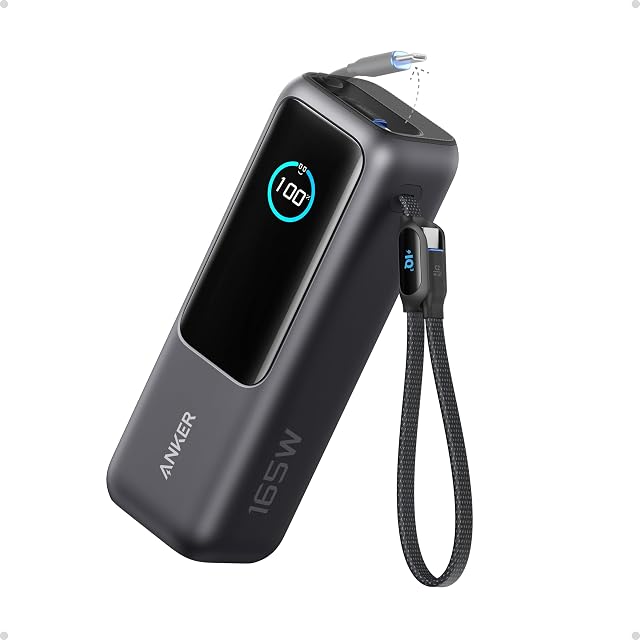
Anker Laptop Power Bank 25K
Amazon
4.6(7,700 reviews)
- Ports:
- 2x built-in USB-C cables (in/out), 1x USB-C port, 1x USB-A
- Weight:
- ~2 lbs
- Display:
- Yes — charge remaining + output wattage per port
- Capacity:
- 25,000mAh / 90Wh
- Max Output:
- 100W per USB-C port
- Tsa Approved:
- Yes
- Built In Cables:
- Yes — retractable + strap-style
What we like
- Two built-in USB-C cables (one retractable, one doubles as carrying strap) eliminate need to carry extra cables
- Display shows both remaining charge and per-port output wattage — unique among competitors
- Charged iPhone 15 from 5–100% in 1h 54m in Engadget testing
- Delivers fast charge to MacBook Pro (53 min boost in testing)
- Flight-approved; triple 100W USB-C ports support multi-device use
Worth knowing
- Screen surface gets marred/scratched over time (noted in Engadget review)
- 100W max per port is lower than Anker Prime (140W) or UGREEN 145W/200W
- At $120, more expensive than UGREEN 145W at $70
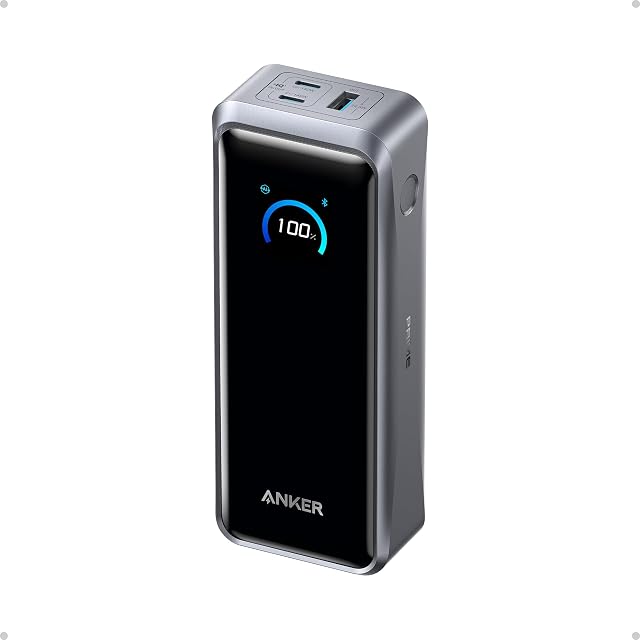
Anker Prime Power Bank (26,250mAh, 300W)
Amazon
4.7(734 reviews)
- Ports:
- 2x USB-C (140W each), 1x USB-A (22.5W)
- Display:
- Yes — charge, output, and temperature gauge
- Capacity:
- 26,250mAh
- Max Output:
- 300W combined
- App Control:
- Yes — Bluetooth app connectivity
- Tsa Approved:
- Yes
- Optional Charging Base:
- $110 add-on
What we like
- Fastest MacBook Pro recharge of any tested power bank — 10% to 75% in ~45 minutes (Engadget lab test)
- 300W combined output supports two high-powered laptops simultaneously
- Temperature gauge on display adds safety monitoring — unique feature
- Bluetooth app monitoring for power management
- More compact than most 27,000mAh batteries despite 26,250mAh capacity
Worth knowing
- Highest price in the Anker lineup — $171 without base, $280+ with optional charging dock
- Optional charging base ($110 extra) needed for the most convenient recharging workflow
- App connectivity is 'more novelty than practical' per Engadget reviewer

UGREEN Nexode Power Bank 25,000mAh 145W
Amazon
4.4(6,000 reviews)
- Ports:
- 2x USB-C, 1x USB-A
- Weight:
- Compact form factor
- Display:
- Yes — digital display
- Capacity:
- 25,000mAh
- Max Output:
- 145W
- Tsa Approved:
- Yes
What we like
- Charged iPhone 15 from 4% to full in ~1.5 hours — among fastest phone charge speeds in Engadget testing
- 145W output exceeds MacBook Pro 16" standard charger (140W) for faster laptop charging
- Best price-to-performance at $70 — significantly cheaper than Anker 737 ($110) at comparable output
- Amazon Choice designation; recommended by CNN Underscored for laptops/tablets
Worth knowing
- No built-in cables
- Only three ports (2 USB-C + 1 USB-A) — fewer than Goal Zero Sherpa
- Engadget notes occasional in-stock availability issues

Anker 737 Power Bank (PowerCore 24K)
Amazon
4.4(16,400 reviews)
- Ports:
- 2x USB-C, 1x USB-A
- Display:
- Yes — smart display
- Capacity:
- 24,000mAh
- Max Output:
- 140W
- Tsa Approved:
- Yes
What we like
- Praised on r/UsbCHardware for fast recharge speed — highlighted in a thread comparing 10 laptop power banks for 'lunch break' recharging
- 140W output meets MacBook Pro 16" standard charger output threshold
- Highest review count (16,400+) of any laptop power bank on Amazon — reflects long-term market trust
- Smart display shows real-time power data
Worth knowing
- Anker's newer 165W model with built-in cables was noted as 'quite a bit worse' than the 737 in r/UsbCHardware discussion, suggesting 737 remains the preferred Anker 140W option
- No built-in cables unlike newer Anker 25K model
- Slightly lower capacity than 25,000mAh competitors

Baseus Power Bank 20000mAh 100W (Blade)
Amazon
4.4(310 reviews)
- Ports:
- 2x USB-C in/out, 2x USB-A out
- Weight:
- Just over 1 lb — lightest in its capacity class (Engadget)
- Display:
- Yes — underestimates remaining charge (conservative)
- Capacity:
- 20,000mAh / 74Wh
- Max Output:
- 100W
- Form Factor:
- Flat/tablet-shaped
What we like
- Flat, tablet-like shape slides alongside a laptop in a backpack — lightest in 20,000mAh class per Engadget
- Charged MacBook Pro from 10% to 62% in 1h 6m in Engadget testing
- Display underestimates charge conservatively — battery delivers a few extra percentage points at 1%
- Little rubber feet prevent sliding when plugged in — practical design detail
- Great value for compact form factor
Worth knowing
- 20,000mAh capacity delivers ~20 percentage points less MacBook charge than 25,000mAh competitors
- Newer brand — fewer reviews than Anker equivalents
- $90 price is competitive but Anker 737 at $110 offers 140W vs 100W

Goal Zero Sherpa 100AC
Amazon
4.4(202 reviews)
- Ports:
- 3x USB-C (1 input only), 2x USB-A, 1x AC outlet, 1x 8mm solar/12V input, wireless charging pad
- Display:
- Yes — toggleable status display
- Capacity:
- 25,600mAh / 95Wh
- Ac Outlet:
- Yes
- Max Output:
- 100W USB-C
- Solar Input:
- Yes — via 8mm port (Goal Zero solar panels, sold separately)
- Car Charging:
- Yes — 12V adapter cable ($40 extra)
- Internal Fan:
- Yes
What we like
- AC outlet + solar input + car 12V charging = most versatile power source options in the category
- Charged MacBook Pro from 6% to 72% in 1h 21m in Engadget testing
- Rugged aluminum unibody design for field work and outdoor use
- Internal cooling fan prevents overheating under heavy multi-port load
- Wireless charging pad on top in addition to multiple wired ports
Worth knowing
- Most expensive laptop power bank tested at $249.95 — nearly 2x the price of Anker 25K
- Solar panels add another $250+ and car charger another $40
- At 100W USB-C max, lower output than UGREEN 145W or Anker Prime 300W
- Fewer reviews (202) for the price — less community validation
- Engadget notes AC outlet should NOT be used for laptops — inefficient double voltage conversion

INIU Power Bank 25000mAh 100W
Amazon
4.5(5,400 reviews)
- Ports:
- 3x output (USB-C + USB-A mix)
- Display:
- Yes
- Capacity:
- 25,000mAh
- Max Output:
- 100W USB-C
- Tsa Approved:
- Yes
What we like
- Best price-per-mAh in the category at $50 for 25,000mAh
- 5,400+ reviews with 4.5★ — strong community validation for a budget option
- Recommended in r/UsbCHardware as top value pick — users prefer it over Anker for price/wattage ratio
- 100W output handles most laptop charging needs
Worth knowing
- 100W max output is lower than UGREEN 145W at comparable price tier
- No built-in cables
- Lesser brand recognition than Anker for warranty/support confidence
Also Worth Considering
The following products have too few reviews or too little independent testing data to warrant full recommendations, but are worth monitoring as they accumulate track records.
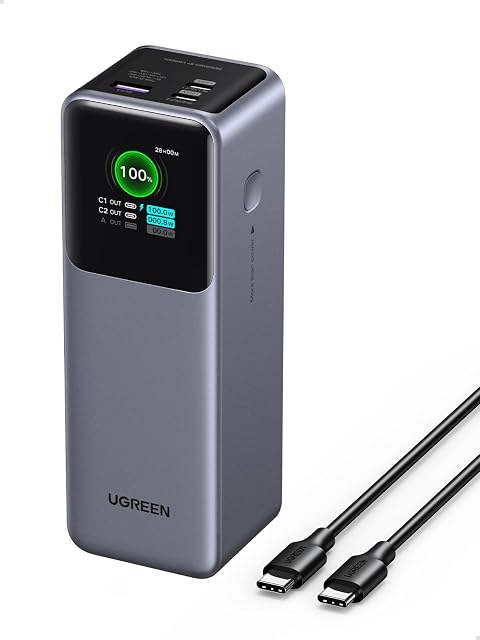
UGREEN Nexode Power Bank 25,000mAh 200W
Amazon
4.5(2,000 reviews)
- Ports:
- Multiple USB-C + USB-A
- Display:
- Yes — TFT smart display
- Capacity:
- 25,000mAh
- Max Output:
- 200W
- Tsa Approved:
- Yes
The UGREEN Nexode 200W steps up from the 145W model for users with higher-wattage laptops, but with only 2,000 reviews versus the 145W model's 6,000, it hasn't accumulated the long-term user data to displace the established pick.

UGREEN Nexode Power Bank 25,000mAh 165W (Built-in Cables)
Amazon
4.6(284 reviews)
- Ports:
- 2x built-in USB-C cables + additional ports
- Display:
- Yes
- Capacity:
- 25,000mAh
- Max Output:
- 165W
- Tsa Approved:
- Yes
- Built In Cables:
- Yes — 2x USB-C
The UGREEN Nexode 165W with built-in cables offers higher wattage than the Anker 25K at a similar price, but with only 284 reviews, it has no proven durability record – and built-in cable longevity is precisely the concern the community raises about this product category.

INIU Portable Charger 20000mAh 65W Compact
Amazon
4.4(4,500 reviews)
- Ports:
- 3x output
- Capacity:
- 20,000mAh
- Max Output:
- 65W USB-C PD
- Form Factor:
- Compact
- Tsa Approved:
- Yes
The INIU 65W compact is the most affordable laptop-compatible bank at $38 and handles MacBook Air and thin-and-light Windows laptops well, but its 65W ceiling excludes it from MacBook Pro 16" and gaming laptop use cases.

EF ECOFLOW Rapid Power Bank 25000mAh 170W
Amazon
4.5(91 reviews)
- Ports:
- 2x USB-C (140W each), additional ports
- Display:
- Yes — TFT screen
- Capacity:
- 25,000mAh
- Max Output:
- 170W total
- Tsa Approved:
- Yes
The EF EcoFlow Rapid 170W brings EcoFlow's power station pedigree to a 25,000mAh portable bank with dual 140W USB-C ports, but only 91 reviews at launch means there's no real-world discharge data to evaluate yet.

CUKTECH 15 SE Power Bank 20000mAh 65W
Amazon
4.6(919 reviews)
- Ports:
- 3x USB-C output
- Display:
- Yes — accurate digital display
- Capacity:
- 20,000mAh
- Max Output:
- 65W USB-C PD 3.0
- Tsa Approved:
- Yes
The CUKTECH 15 SE earns attention for its 4.6-star rating and display accuracy – the CUKTECH brand is respected in r/UsbCHardware for low voltage ripple and precise readings. The 65W ceiling and 20,000mAh capacity limit its laptop applicability to lighter machines.

AsperX Laptop Power Bank 165W 20000mAh
Amazon
4.4(307 reviews)
- Build:
- Aluminum alloy unibody
- Ports:
- Retractable USB-C cables built-in
- Capacity:
- 20,000mAh
- Max Output:
- 165W
- Tsa Approved:
- Yes
The AsperX 165W claims the highest wattage-to-size ratio in the budget segment with an aluminum alloy unibody and built-in retractable cables, but 165W from a 20,000mAh bank warrants scrutiny about sustained output versus rated peak – and 307 reviews is not enough to resolve that question.

Portable Power Bank 100W AC Outlet 27000mAh
Amazon
4.2(245 reviews)
- Ports:
- AC outlet + USB-C + USB-A
- Capacity:
- 27,000mAh / 98Wh
- Ac Outlet:
- 100W 110V AC
- Tsa Approved:
- Yes (under 100Wh)
- Usb C Output:
- 65W PD USB-C
The 100W AC Outlet 27000mAh bank is worth considering only if you need to power devices with no USB-C port – its 27,000mAh / 98Wh rated capacity is near the TSA ceiling, and the 65W USB-C PD port is the efficient path for any laptop that supports it. Do not use the AC outlet for your laptop adapter. See the warning callout above.
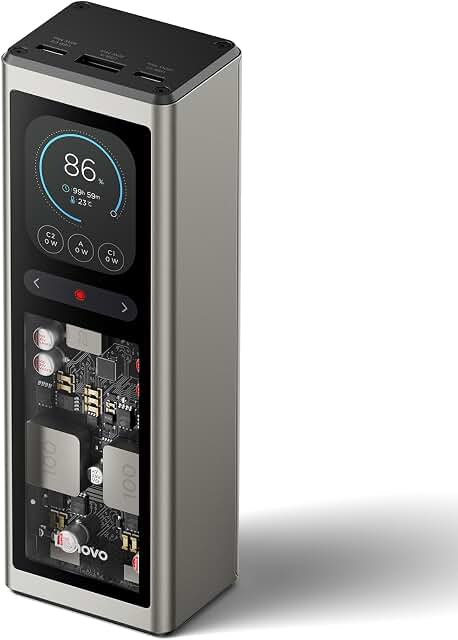
Lenovo 140W Power Bank 25000mAh
Amazon
4.7(24 reviews)
- Ports:
- 3-port (USB-C + USB-A hybrid)
- Display:
- Yes — TFT display
- Capacity:
- 25,000mAh
- Max Output:
- 140W
- Tsa Approved:
- Yes
The Lenovo 140W Power Bank undercuts the Anker 737 by $30 at the same 140W output with a TFT display and a 4.7-star early rating – appealing on paper for ThinkPad and ThinkBook users. Only 24 reviews means there is no meaningful track record, and Lenovo is not known for power bank manufacturing quality versus specialists like Anker or UGREEN.

Frequently Asked Questions
- How many times can a laptop power bank charge my MacBook Pro?
- Fewer times than the mAh number suggests. A 25,000mAh / 90Wh bank loses a significant portion of its rated capacity to voltage conversion from the bank's internal ~3.7V to USB-PD's 20V. A 90Wh bank against a MacBook Pro 16" (100Wh battery) delivers approximately one partial charge – in Engadget's lab testing, the Anker 25K (90Wh) charged a MacBook Pro meaningfully in 53 minutes. A MacBook Pro 14" (70Wh battery) fares better, getting closer to a full charge. The math works in your favor with smaller laptop batteries.
- What wattage do I need in a power bank to charge my laptop?
- Match or exceed your laptop's rated charger wattage. MacBook Air: 30–67W (65W USB-PD bank is sufficient). MacBook Pro 14": up to 96W (100W bank works). MacBook Pro 16": 140W (a 100W bank may not sustain charge under load – go 140W+). Gaming laptops: often 140–240W; a 300W bank like the Anker Prime is the only consumer option that credibly addresses the upper range. For any laptop under real workloads, the 140W threshold is the key benchmark used by power users in r/UsbCHardware.
- Are laptop power banks allowed on planes?
- Yes, in carry-on bags only – never checked luggage. The TSA allows lithium-ion power banks up to 100Wh without prior approval. Banks between 100Wh and 160Wh require airline approval. Most laptop power banks sold for air travel (Anker 25K at 90Wh, Goal Zero Sherpa at 95Wh) fall under the 100Wh limit and are TSA-approved. Power banks cannot travel in checked baggage regardless of capacity.
- Which airlines have extra restrictions on power banks beyond TSA rules?
- As of Engadget's January 2026 update, Hong Kong, Delta, KLM, Emirates, and Southwest have introduced or enforced restrictions beyond the base TSA policy, with Hong Kong restrictions tied to 2025 battery ban incidents on those routes. The TSA limit is a floor, not a universal ceiling. Always confirm your specific carrier's current policy before flying, especially internationally.
- What is the difference between mAh and Wh for power banks?
- mAh (milliamp-hours) is measured at the battery's internal voltage (typically ~3.7V). Wh (watt-hours) accounts for voltage and represents the total stored energy. For laptop charging, Wh is the more honest spec: a 25,000mAh bank at 3.7V = approximately 92.5Wh. That's also the number airlines care about – the 100Wh carry-on limit uses Wh, not mAh. When comparing banks for laptop use, always look at the Wh rating.
- Is it safe to use a power bank's AC outlet to charge my laptop?
- It will charge the laptop, but it's inefficient – not the most effective use of the bank's capacity. The AC outlet requires the bank to convert its DC power to AC, then your laptop's power adapter converts it back to DC. Each conversion loses energy as heat. Engadget explicitly warns against this for laptops. If your laptop has a USB-C port, use USB-PD – it's a direct DC-to-DC transfer and will get significantly more charge delivery from the same bank capacity.
- What is the maximum watt-hours allowed on a plane?
- 100Wh in carry-on bags without prior airline approval. Between 100Wh and 160Wh, you need airline approval – and not all airlines grant it. Above 160Wh is prohibited on passenger aircraft regardless of airline. Most laptop power banks designed for air travel cap at 90–99Wh specifically to stay under the 100Wh threshold.
- Can a 65W power bank charge a MacBook Pro?
- It depends on the model. A 65W bank will charge a MacBook Pro 14" slowly, and may not maintain the battery level while the machine is under sustained load – the MacBook Pro 14" can draw up to 96W. For a MacBook Pro 16" (140W charger), a 65W bank will trickle-charge at best and may actually drain the battery while the laptop is in active use. A 65W bank is appropriate for MacBook Air and thin-and-light laptops; it's undersized for MacBook Pro 16" under real work conditions.
- How long does it take to recharge a laptop power bank?
- Recharge time depends on the bank's input wattage and your wall charger. Most 25,000mAh banks accept 65–100W input via USB-C. The Anker 737 was specifically highlighted by r/UsbCHardware users for fast recharge speed in a 10-bank comparison thread focused on "lunch break" top-ups. Check the bank's max input wattage spec (not just output) – a bank that accepts 100W input will recharge in roughly half the time of one that accepts only 45W.
- Should I buy a power bank with built-in cables or separate cables?
- Built-in cables reduce what you carry but introduce a durability risk: when the cable fails, you're looking at a warranty claim or replacement, not a cheap cable swap. Users in r/UsbCHardware flagged cable longevity as a known concern for this entire product category. If you choose built-in, favor models with at least a year on market and thousands of reviews. If you frequently lose cables while traveling, built-in cables may be worth the trade-off – but go in with realistic expectations about long-term cable integrity.
- What is USB Power Delivery (PD) and why does it matter for laptop charging?
- USB-PD is the protocol that allows a power bank to negotiate the correct voltage and current with your device. Without it, USB charging is capped at 5V/2.4A – around 12W – which is insufficient to charge most laptops. USB-PD allows delivery up to 100W (PD 3.0) or 240W (PD 3.1). Your power bank and laptop both need to support USB-PD for laptop charging to work correctly. Be skeptical of banks marketed with only 'fast charging' language – that term doesn't guarantee USB-PD compliance.
- What is the difference between a laptop power bank and a portable power station?
- Capacity and form factor, primarily. Portable power stations (like EcoFlow's DELTA line) hold 500Wh–2,000Wh+, can power AC devices continuously, and are designed for home backup or extended outdoor use. They're too heavy for a laptop bag and cannot go on planes. Laptop power banks top out around 95–99Wh (the TSA limit), weigh 1–2 lbs, and fit in a carry-on. If you need to power a laptop away from grid power for a few hours, a power bank is the right tool. If you need all-day off-grid power for multiple AC devices, a power station is the category to explore.
- Can a laptop power bank charge a gaming laptop?
- Possibly, but with significant caveats. Gaming laptops typically draw 140–240W under load. The Anker Prime at 300W combined output is the only consumer power bank reviewed here with output specs that approach gaming laptop power demands – but sustained output at those levels from a sub-100Wh bank will deplete the bank quickly. For most gaming laptops, a power bank will charge the battery slowly while the machine is off or in sleep mode, not sustain it under active gaming loads.
- Does using multiple ports on a power bank slow down charging speeds?
- Yes, typically. When multiple ports are active, total output wattage is shared across connected devices. A bank rated at 140W on a single port may deliver 65W + 65W across two ports simultaneously, or some similar split. Always check the manufacturer's multi-port output spec, not just the single-port peak. The Anker Prime is explicit about its 300W combined output across two 140W ports – that clarity is useful; vague specs on this point are a warning sign.
Related articles